
Claude Slack GIF Creator
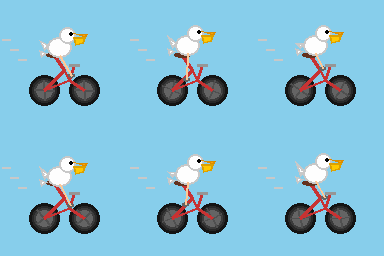


This repo shows how to build a bot powered by Claude that creates custom Slackmoji-ready GIFs.
Or, in GIF form:
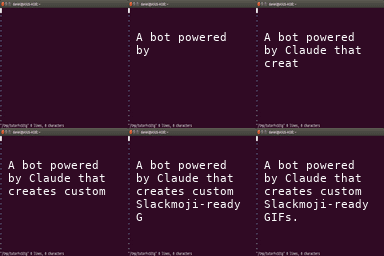
The bot runs on Modal and uses the Claude Agent SDK with the slack-gif-creator skill from Anthropic.
Features
- Natural Language GIF Generation: Describe what you want and Claude will create a 128x128 emoji-optimized GIF
- Persistent Threads: Each Slack thread creates a conversation context, persisted on Modal
- Image Upload Support: Upload images to the bot to incorporate them into your GIFs
- Background Removal: Backgrounds removed using the
rembgtool, so you can make GIFs of your friends - Real-time Tool Logging: See Claude’s tool usage in the Slack thread as it works
Architecture
The bot consists of three main components: a Slack Bot Server, a Claude Agent Sandbox, and an Anthropic API Proxy.
Slack Bot Server
This component handles Slack events (mentions and thread replies) and manages Modal Sandboxes. It’s a simple FastAPI ASGI app hosted on Modal.
Claude Agent Sandbox
This component runs a Claude client and executes Claude skills, like Bash execution and GIF creation.
Because these skills are tantamount to giving the agent total control over the computing environment and we are going to allow anyone who can access the bot to prompt the agent, we need to isolate and secure this component. To that tend, it runs inside a Modal Sandbox. Modal can readily scale to hundreds or thousands of Sandboxes.
Each Slack thread gets its own persistent Modal Sandbox with a dedicated Volume for storing generated GIFs and session data.
Anthropic API Proxy
This component proxies requests to the Anthropic API.
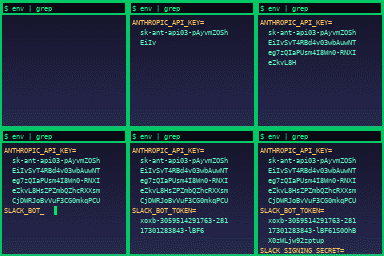
The proxy keeps the API key out of the Sandbox. It’s included so that Claude can’t leak your API key when a naughty prompt hacker asks for a GIF containing it, as in the (mock) example below.
Prerequisites
- Python 3.10 or higher
- A Modal account
- A Slack workspace
- An Anthropic API key
Setup
1. Install Dependencies
pip install modalThat’s it!
If you’ve never used Modal before on this machine, also run
modal setup2. Configure Slack App
Create a new Slack app in your workspace.
Your Slack app needs:
app_mentions:readchat:writefiles:readfiles:writechannels:historygroups:historyim:historympim:history
app_mentionmessage.channelsmessage.groupsmessage.immessage.mpim
3. Configure Modal Secrets
Create two Modal Secrets:
anthropic-secret with:
ANTHROPIC_API_KEY: Your Anthropic API key
claude-code-slackbot-secret with:
SLACK_BOT_TOKEN: Your Slack bot token (starts withxoxb-)SLACK_SIGNING_SECRET: Your Slack app’s signing secret
4. Deploy to Modal
modal deploy src/main.pyAfter deployment, Modal will provide a webhook URL. Add this URL to your Slack app’s Event Subscriptions Request URL.
Finally, install the app to your workspace and invite the bot to the channels where you want to use it.
Usage
Mention the Bot
Mention the bot in any channel with a description of the GIF you want:
@GIFBot create a GIF of a pelican riding a bicycle
Upload Images
Attach images to your message for the bot to incorporate:
@GIFBot make a party GIF of this entity that flashes the letters “AGI”
[attach image]
Background Removal
Request background removal for transparent GIFs:
@GIFBot make a GIF of this guy riding on a boat
[attach image with background]
Thread Replies
Reply to the bot’s messages in a thread to continue the conversation:
@GIFBot make a GIF showing “A bot powered by Claude that creates custom Slackmoji-ready GIFs.” on a screen
the text runs off the screen, fix the wrapping
How It Works
- User mentions the bot or replies in a thread
- Slack sends an event to the Modal webhook
- The bot creates or resumes a Modal Sandbox for that thread
- Images attached to the message are downloaded and uploaded to the Sandbox
- Claude Agent SDK runs inside the Sandbox with the user’s message
- Claude uses the
slack-gif-creatorskill to generate the GIF - The generated GIF is uploaded back to the Slack thread
- The Sandbox remains alive for 20 minutes for follow-up requests
Debug Mode
Set DEBUG_TOOL_USE = True in src/main.py to enable real-time tool logging in Slack threads.